
DJI Avata 2 Review 2026: Best FPV Drone for Beginners?
 13 min read
2,562 words
13 min read
2,562 words
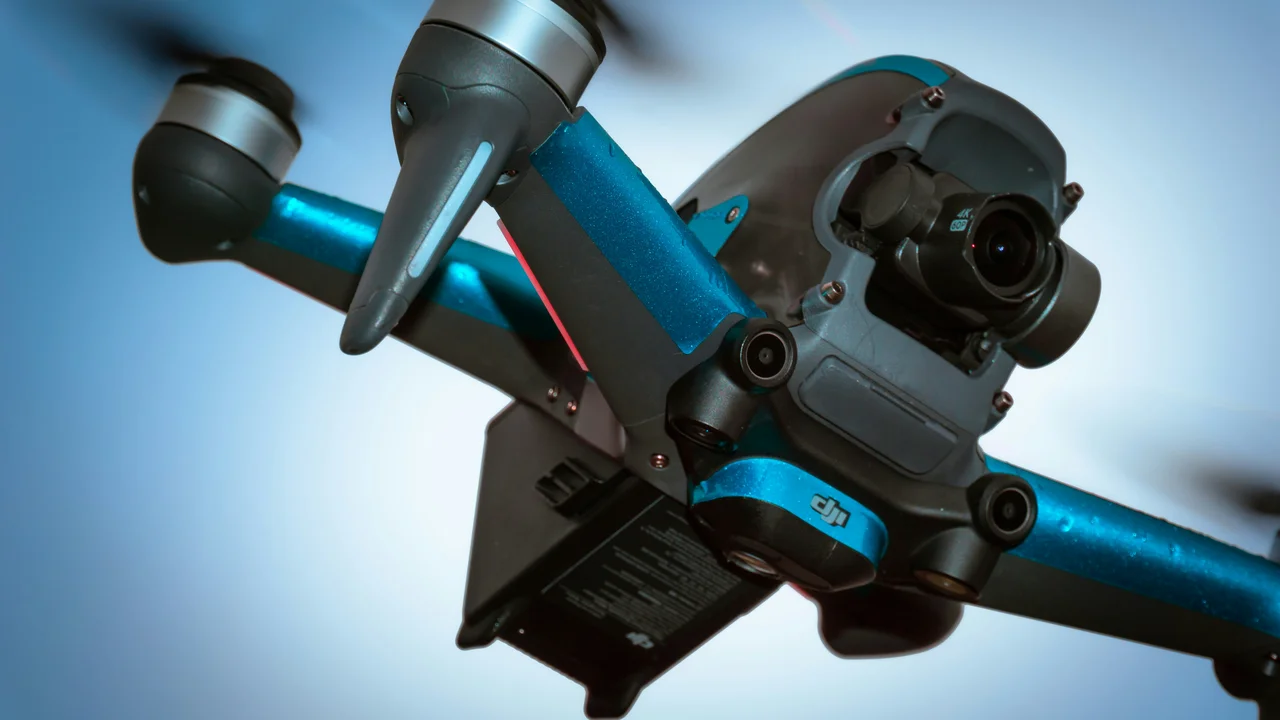
The DJI Avata 2 is the best FPV drone for beginners in 2026, combining a durable cinewhoop design with an intuitive Motion Controller that lets anyone fly like a pro within minutes. This DJI Avata 2 review covers the camera, goggles, flight modes, and everything you need to know about regulations before you buy — including the crucial fact that its 377g weight requires FAA registration in the US.
DJI Avata 2 Design: Built for Crashes, Not Just Cinematics
The Avata 2 is a cinewhoop-style drone with fully integrated prop guards. At 377 grams (13.3 oz), it sits just above the FAA’s 250g registration threshold, but the weight is a trade-off for durability. The ducted propellers allow you to fly inches from walls, trees, and people without the immediate destruction a naked quad would cause.
The frame is more compact than the original DJI FPV drone (which weighed 795g). The battery is now hot-swappable via a rear port, and the drone folds slightly for transport. The bottom has a single downward-facing infrared sensor for landing assist, but there is no rear or side obstacle detection.
DJI Avata 2 Camera: 4K/60fps with a 1/1.3″ Sensor
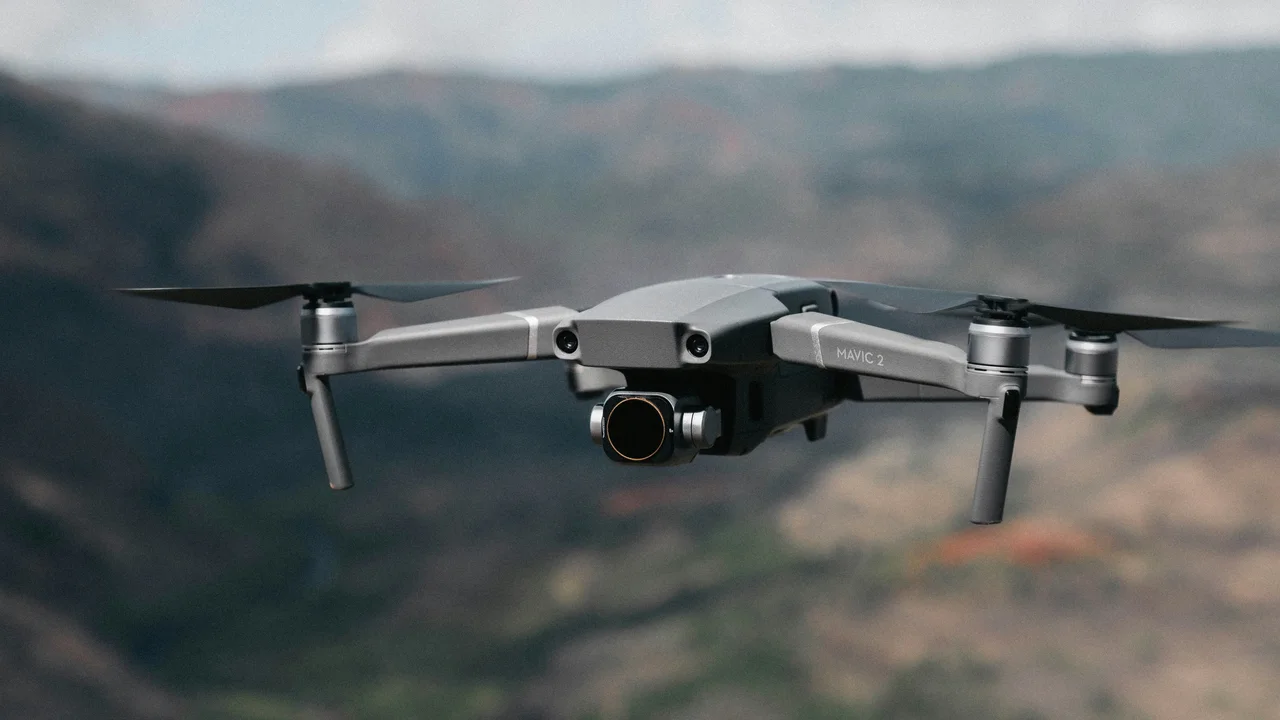
The Avata 2 uses a 1/1.3-inch CMOS sensor, the same class found in the DJI Air 3. It records 4K at up to 60fps and 2.7K at up to 120fps for slow motion. The 155° ultra-wide field of view gives that immersive FPV look, but it introduces noticeable fisheye distortion at the edges.
In good light, the video is sharp with excellent dynamic range. Low-light performance is decent but not flagship-level — the small sensor struggles in deep shadows. The camera sits on a single-axis gimbal (tilt only), meaning you cannot yaw or roll the horizon independently. For cinematic FPV, this is fine. For professional real estate work, you want a 3-axis gimbal drone like the Utah Drone Laws 2026 guide covers for landscape work.
DJI Avata 2 Camera vs Avata 1
| Feature | Avata 2 | Avata 1 |
|---|---|---|
| Sensor | 1/1.3″ | 1/1.7″ |
| Max Video | 4K/60fps | 4K/50fps |
| Slow Motion | 2.7K/120fps | 1080p/120fps |
| FOV | 155° | 155° |
| Gimbal | Single-axis (tilt) | Single-axis (tilt) |
The Avata 2’s camera is a meaningful upgrade: higher frame rates, a larger sensor, and better low-light performance. If you already own the Avata 1, the camera alone is not enough to upgrade — but the improved transmission and controller are.
DJI Avata 2 Goggles 3 and Head Tracking
The Avata 2 ships with the DJI Goggles 3, which feature micro-OLED displays at 1080p per eye and a 100Hz refresh rate. The key innovation is head tracking: when enabled, yawing your head turns the drone. This is far more intuitive than using a thumbstick for yaw, especially for beginners.
Head tracking works well in Normal and Sport modes. In Manual mode, it disables automatically because precise stick control is required. The goggles also support a “real-time” picture-in-picture view for the camera feed — useful if you need to check a phone screen.
Battery life is about 2.5 hours on the goggles, and they use the same O4 transmission as the drone. The O4 system claims 13km range, but real-world range in suburban areas is closer to 3–5km before signal breakup.
Motion Controller: The Beginner’s Superpower
The DJI Motion Controller 3 is a single-handed device that controls the drone by tilting your wrist. Push the trigger forward to accelerate, pull back to brake. Tilt the controller left or right to bank. It completely eliminates the need for throttle management and stick coordination.
For a beginner, this is transformative. You can fly FPV-style proximity shots within 20 minutes of opening the box. The trade-off is precision: you cannot perform flips, rolls, or aggressive acro moves with the Motion Controller. For that, you need the traditional RC Motion 3 controller, which adds a second stick for full manual control.
Motion Controller Pros
- One-handed, intuitive operation
- No throttle management needed
- Perfect for cinematic cruising
Motion Controller Cons
- No manual acro capability
- Less precise than traditional sticks
- Cannot execute flips or rolls
DJI Avata 2 vs DJI FPV Drone: Which Is Better?
The original DJI FPV drone (released 2021) was a 795g beast with a 4K/60fps camera and a top speed of 87 mph. The Avata 2 is smaller, lighter, and more agile. Here is the direct comparison:
| Spec | DJI Avata 2 | DJI FPV (Original) |
|---|---|---|
| Weight | 377g | 795g |
| Camera | 1/1.3″ 4K/60fps | 1/2.3″ 4K/60fps |
| Transmission | O4 (13km) | O3 (10km) |
| Prop Guards | Integrated | Optional (adds weight) |
| Price (Combo) | $999 | $1,299 (discontinued) |
The Avata 2 wins in every category except top speed. The DJI FPV can hit 87 mph in Manual mode; the Avata 2 tops out at 60 mph. For most FPV flying — proximity, cinematic, indoor — the Avata 2 is the better choice. The DJI FPV is now discontinued, so buying one used is your only option.
Is the DJI Avata 2 Good for Beginners?
Yes — the DJI Avata 2 is the best FPV drone for beginners in 2026. The Motion Controller eliminates the steep learning curve of traditional FPV radios. The prop guards make crashes survivable. The three flight modes (Normal, Sport, Manual) let you progress at your own pace.
Start in Normal mode, which uses GPS-assisted stabilization. Once you are comfortable, switch to Sport mode for faster, more responsive flight. Manual mode (called “Acro-lite” by DJI) gives you full angular rate control — but it is still limited compared to a custom Betaflight build. The Avata 2 cannot do full-rate flips or sustained inverted flight.
DJI Avata 2 Flight Modes Explained
- Normal: GPS hold, altitude hold, limited speed. Best for absolute beginners.
- Sport: No GPS hold, faster response, up to 40 mph. Requires some practice.
- Manual (Acro-lite): Full angular rate control, no stabilization. For experienced pilots only.
If you want to learn true acro FPV, the Avata 2’s Manual mode is a stepping stone — but you will eventually outgrow it. For cinematic cruising and indoor proximity flying, it is perfect.
Obstacle Avoidance: Limited but Useful
The Avata 2 has forward-facing obstacle avoidance sensors. In Normal and Sport modes, the drone will brake automatically if it detects an obstacle ahead. In Manual mode, obstacle avoidance is disabled — you are fully responsible for avoiding collisions.
The sensors have a 30° horizontal field of view and detect objects up to 20 meters away. They work well in good light but struggle with thin branches, power lines, or dark surfaces. Do not rely on them for high-speed proximity flying.
DJI Avata 2 Weight and Registration Requirements
At 377 grams, the Avata 2 exceeds the 250g threshold that triggers registration in most countries. Here is what you need to know for the US, UK, Canada, and Australia:
| Country | Authority | Registration Required? | Cost | Additional Requirements |
|---|---|---|---|---|
| United States | FAA | Yes (over 250g) | $5 (3 years) | TRUST test for recreational flyers |
| United Kingdom | CAA | Yes | £9 (Flyer ID) + £10 (Operator ID) | A2 subcategory (under 500g) |
| Canada | Transport Canada | Yes | $10 CAD (5 years) | Basic Operations certificate |
| Australia | CASA | Yes | $40 AUD (1 year) | Operator accreditation |
In the US, recreational flyers must pass the free TRUST test and register on the FAA DroneZone. Commercial flyers need a Part 107 Remote Pilot Certificate. The Avata 2’s 377g weight also means it is subject to the 400ft AGL altitude limit and cannot fly over people without a waiver.
Where to Fly the DJI Avata 2
The Avata 2’s small size and prop guards make it ideal for flying in national forests, open fields, and abandoned buildings — but you must respect no-fly zones. National Parks (like Yosemite) are off-limits. Check local laws before flying in state parks.
For scenic FPV flights, consider Best Places to Fly a Drone in California 2026 (Legal Spots Guide) for coastal and mountain locations. The North Carolina Drone Laws 2026 guide covers the Smoky Mountains and coastline. For red rock landscapes, see Utah Drone Laws 2026. And if you are planning a trip to Yosemite, read Yosemite Drone Laws 2026 — drones are banned inside the park, but legal spots exist just outside. For Great Lakes scenery, check Michigan Drone Laws 2026.
DJI Avata 2 vs Custom FPV Builds
A custom FPV quad (like a 5-inch freestyle build) offers more power, better acro performance, and full customization. But it requires soldering, Betaflight tuning, and a separate radio system. The Avata 2 is “plug and play” — open the box, pair the goggles, and fly.
| Factor | DJI Avata 2 | Custom 5-inch FPV |
|---|---|---|
| Setup Time | 10 minutes | 10+ hours |
| Crash Cost | Low (prop guards) | High (frame, motors, props) |
| Camera Quality | Excellent (1/1.3″) | Varies (GoPro or naked cam) |
| Acro Capability | Limited (Acro-lite) | Full (any trick) |
| Price | $999 (combo) | $400–$800 (DIY) |
If you want FPV for cinematic travel videos or real estate, the Avata 2 is the better choice. If you want to compete in freestyle or race, build a custom quad.
Final Thoughts: Is the DJI Avata 2 Worth It in 2026?
The DJI Avata 2 is the best FPV drone for beginners in 2026. It removes the two biggest barriers to entry — the steep learning curve of manual flight and the fear of crashing. The Motion Controller makes FPV accessible to anyone, and the camera quality rivals DJI’s consumer camera drones.
For experienced FPV pilots, the Avata 2 is a great B-roll platform for cinematic shots, but you will still want a custom quad for freestyle. The 377g weight means you must register it with the FAA ($5, 3 years), pass the TRUST test, and obey the 400ft altitude limit. If you want immersive, proximity FPV without the hassle of building a quad, buy the Avata 2.
Frequently Asked Questions
Is the DJI Avata 2 good for beginners?
Yes, the DJI Avata 2 is the best FPV drone for beginners. The Motion Controller lets you fly intuitively with one hand, eliminating the need for throttle management. The prop guards protect the drone during crashes, and the three flight modes (Normal, Sport, Manual) let you progress at your own pace. Most beginners can fly cinematic FPV shots within their first hour of practice.
DJI Avata 2 vs DJI FPV drone which is better?
The DJI Avata 2 is better for most pilots. It is lighter (377g vs 795g), has a better camera (1/1.3″ sensor vs 1/2.3″), uses newer O4 transmission, and costs less ($999 vs $1,299). The original DJI FPV drone is faster (87 mph vs 60 mph) but is now discontinued. For cinematic, indoor, and proximity flying, the Avata 2 wins. For pure speed, the DJI FPV is faster but heavier and harder to fly.
What goggles work with DJI Avata 2?
The DJI Avata 2 only works with the DJI Goggles 3, which use the O4 transmission system. The Goggles 3 feature micro-OLED displays, 1080p per eye, and head tracking for intuitive yaw control. They do not work with older DJI drones like the Avata 1 or DJI FPV. You cannot use DJI Goggles 2 or DJI FPV Goggles V2 with the Avata 2.
What camera does the DJI Avata 2 have?
The DJI Avata 2 uses a 1/1.3-inch CMOS sensor, the same class as the DJI Air 3. It records 4K video at up to 60fps and 2.7K at up to 120fps for slow motion. The lens has a 155° ultra-wide field of view, which creates an immersive FPV look but introduces fisheye distortion at the edges. The camera sits on a single-axis gimbal that only tilts up and down.
Do you need a license to fly DJI Avata 2 in the UK?
Yes, because the Avata 2 weighs 377g (above 250g), you need both a Flyer ID and an Operator ID from the UK CAA. The Flyer ID costs £9 and requires passing a theory test. The Operator ID costs £10 annually. Since the Avata 2 weighs under 500g, it falls into the A2 subcategory, which allows closer flight to uninvolved people than A3 category drones.
Is DJI Avata 2 good for indoor flying?
Yes, the DJI Avata 2 is excellent for indoor flying. Its cinewhoop design with integrated prop guards protects people and objects during close-quarters flight. The 377g weight is light enough to minimize damage on impact. In Normal mode, the GPS hold is disabled indoors, so you must rely on the downward sensor for altitude hold. The Motion Controller makes indoor FPV flying intuitive and safe.
Do I need a license to fly the DJI Avata 2?
In the US, recreational pilots need to pass the TRUST test and register the drone if it weighs over 250g. The Avata 2 weighs 377g, so registration is required. In the UK, you need an Operator ID and Flyer ID from the CAA. In Canada, registration with Transport Canada is required. Check local laws before flying.
Can the DJI Avata 2 fly in rain?
No. The Avata 2 is not waterproof. Flying in rain, snow, or high humidity can damage the electronics and void the warranty. The prop guards offer some protection from light drizzle, but it’s best to avoid wet conditions entirely.
How long does the DJI Avata 2 battery last?
The Intelligent Flight Battery provides up to 11 minutes of flight time in Normal mode. In Sport or Manual mode, expect 7-9 minutes depending on aggressive flying. The battery charges in about 50 minutes via USB-C PD.
Does the DJI Avata 2 have GPS?
Yes. The Avata 2 uses GPS and GLONASS for positioning. In Normal mode, GPS hold keeps the drone stable outdoors. In Manual mode, GPS is disabled for full pilot control. The drone also has a downward vision sensor for altitude hold when GPS is unavailable.
Can I use the DJI Avata 2 with a regular remote controller?
Yes. The Avata 2 is compatible with the DJI FPV Remote Controller 2 and the DJI RC Motion 2. The Motion Controller is recommended for beginners. Experienced pilots can use the FPV Remote Controller 2 for full manual control.
Is the DJI Avata 2 good for indoor flying?
Yes, but with limitations. The prop guards protect people and objects. The 377g weight is light enough for indoor use. However, GPS hold is disabled indoors, so you rely on the downward sensor. The Motion Controller makes indoor FPV flying safe and intuitive.
What is the DJI Avata 2 warranty?
DJI offers a standard 1-year warranty. DJI Care Refresh extends coverage to 2 years with up to 4 low-cost replacements per year. DJI Care Refresh is recommended for FPV flying due to higher crash risk.
Last updated: July 14, 2026
- FAA DroneZone (faadronezone.faa.gov)
- DJI Official Specifications – DJI Avata 2
- UK Civil Aviation Authority – Drone and Model Aircraft Code
- Transport Canada – Drone Safety
- CASA (Australia) – Drone Registration
Drone Allowed
DroneAllowed editor covering drone regulations, aviation law, and aerial photography across USA, UK, Canada & Australia.